
Photo editor & filters · iPhone
Film, without
the waiting.
Shoot on stocks that behave like film, edit with a proper toolbox, and post the result with the recipe attached — so the next person can use it too.
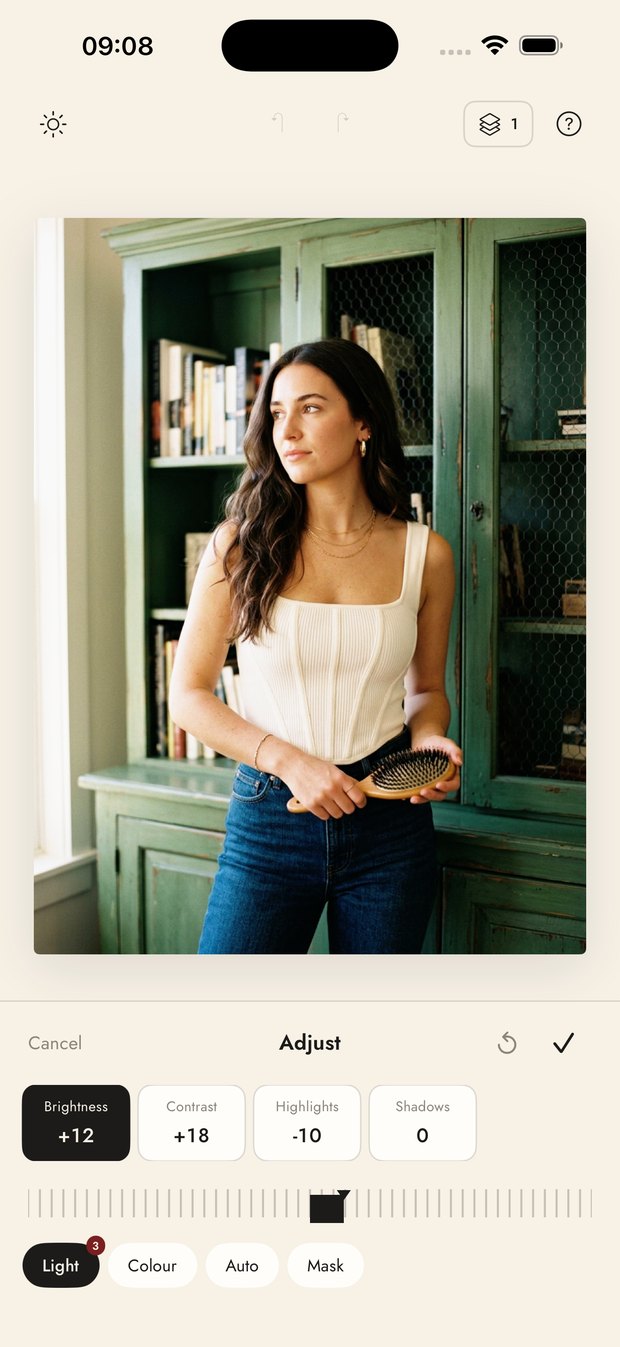
Inside the app
A darkroom, a camera and a retouch bench.
Everything ordinary runs on your phone, instantly. Only the handful of tools that genuinely need a model in the cloud go online, and the app tells you which ones those are.
Looks
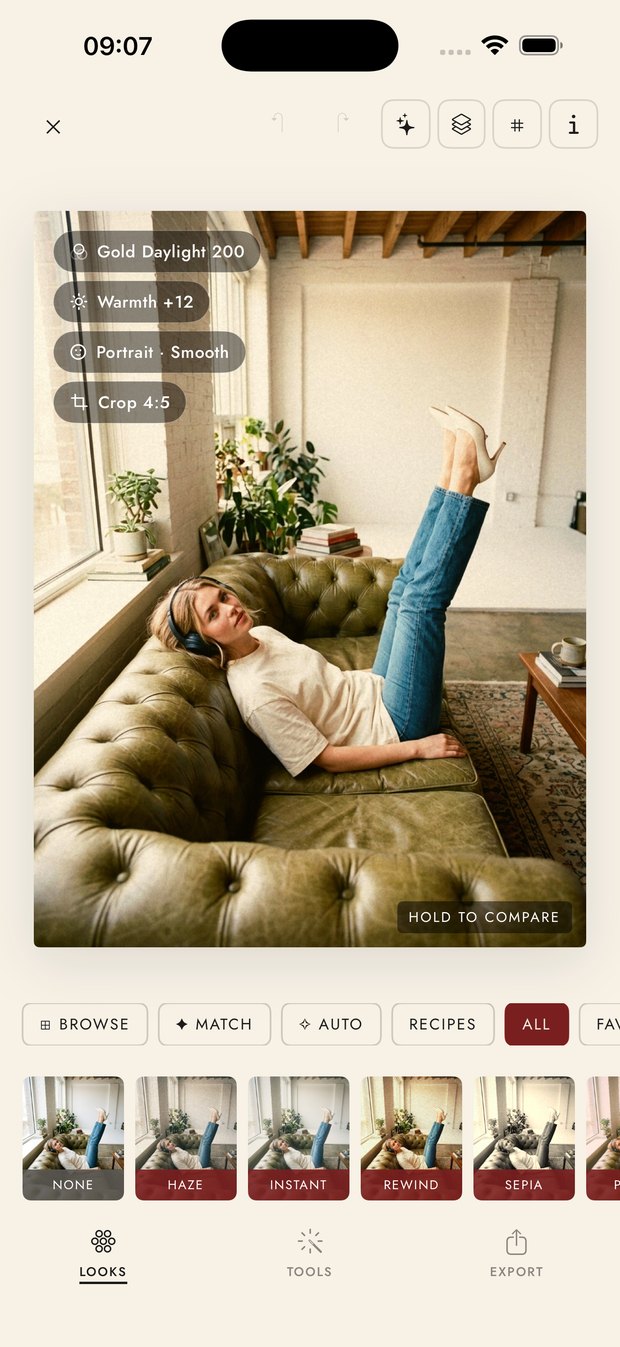
Hundreds of presets grouped the way you actually think — daylight, night, portrait, mood. Match finds the closest look to a photo you like; Auto reads the frame and proposes one.
Camera
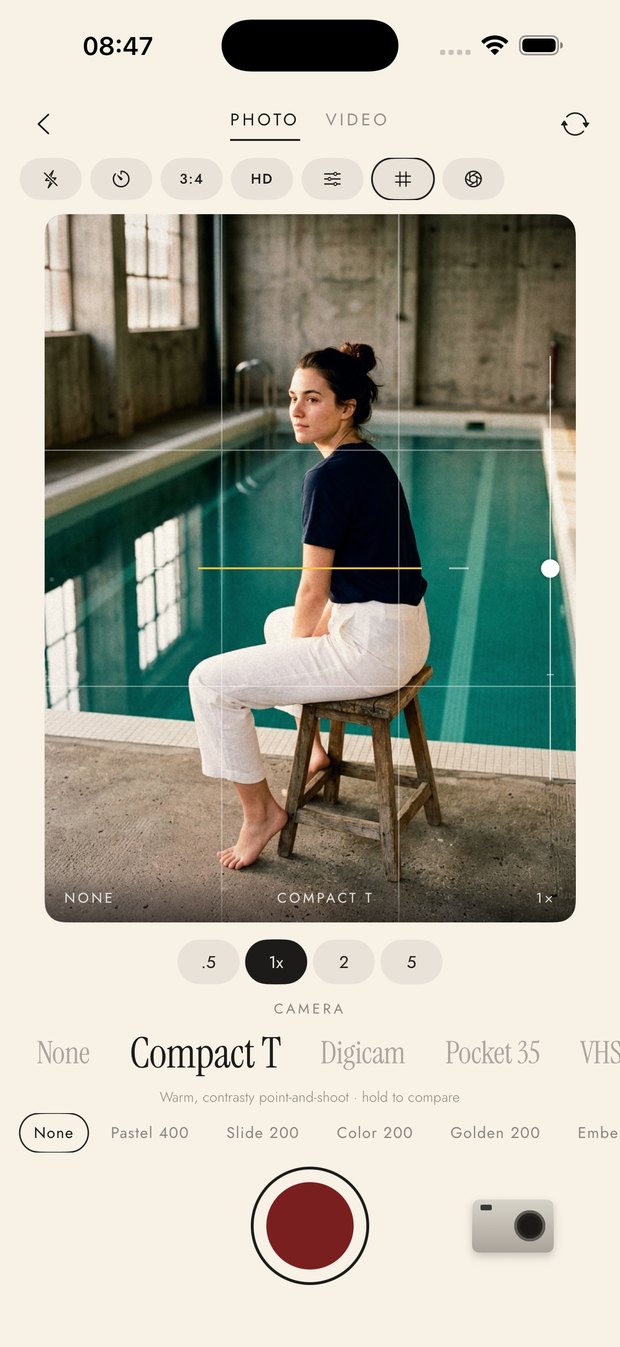
Pick a camera body and a film stock and shoot with the look already applied — compact, digicam, pocket 35, VHS. Zoom is expressed the way lenses are, not as a number nobody reads.
Light and colour
Curves, HSL, split tone, selective colour, grain, bloom and halation. Every adjustment takes a mask, so a change can land on the sky, the skin or one object and nowhere else.
Retouch
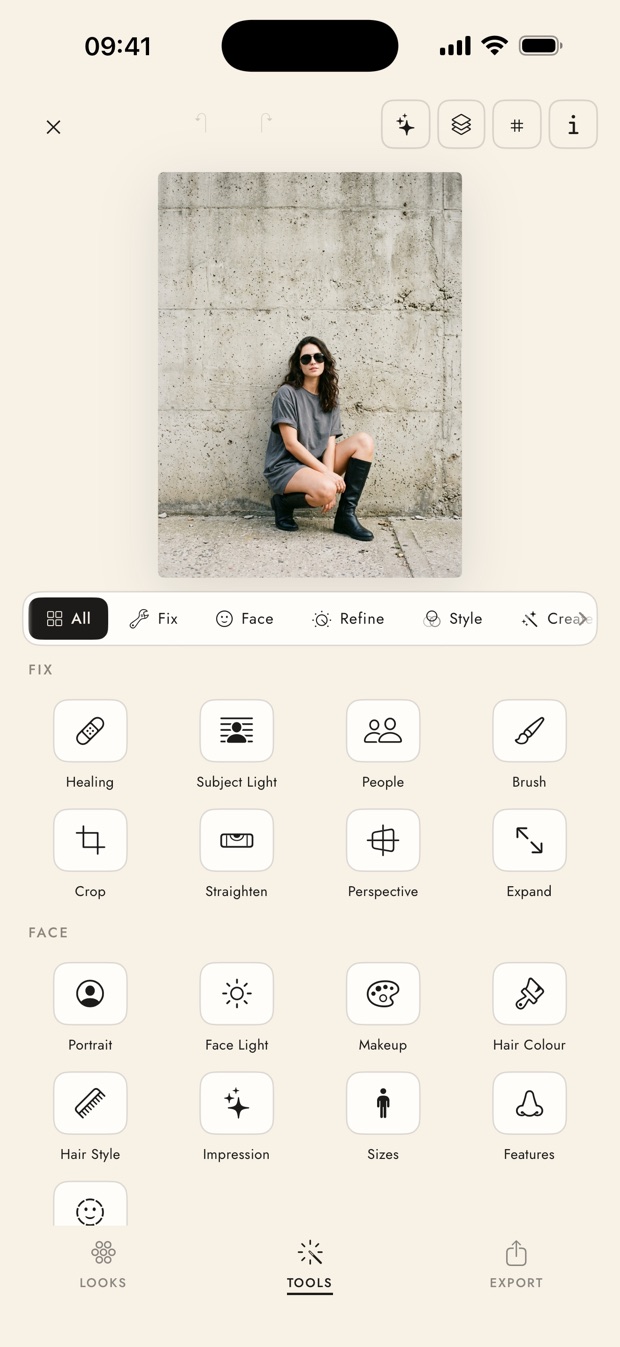
Healing, portrait smoothing, features and proportions, with a face picker so a multi-person photo doesn't get edited as if it had one subject.
Relight
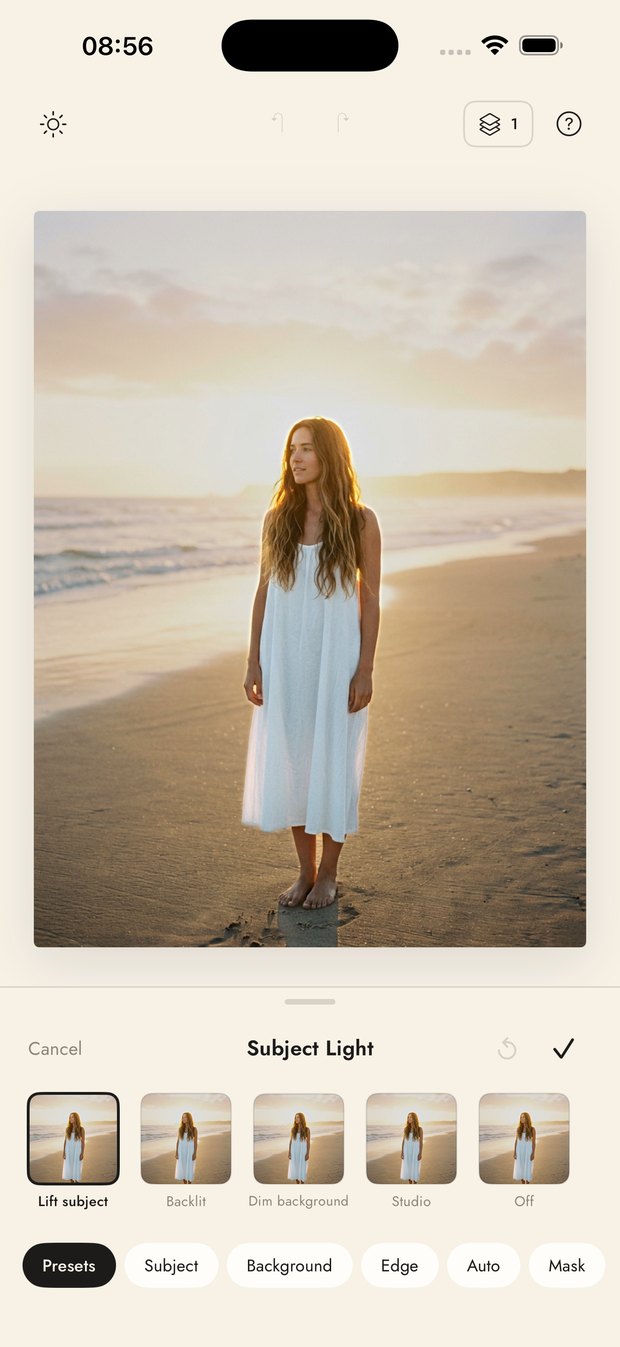
Subject Light separates the person from the background and lets you lift, backlight or dim either. Face Light drops a sun you drag around the frame.
Generative tools
Expand a crop past its edges, remove an object, change hair, add makeup, or restage a portrait's light. These run in the cloud and are counted against a daily allowance.
Templates and frames
Drop a finished photo into a print, a contact sheet or a magazine page — the layout is decorated, so the result looks composed rather than pasted.
Recipes
Every edit can be saved as a short code. Paste someone's code and their whole stack — looks, tools, values — lands on your photo, ready to adjust.
Discover
The recipe travels with the picture.
Most photo apps show you a result and leave you to guess. In FLSH, posting is optional and the edit comes with it: tap a post, see the stack that made it, and apply the same recipe to your own frame in one move.
Posting is never automatic — it is a switch on the export sheet, next to saving to your camera roll. You can delete anything you have posted from your profile, and deleting your account removes your posts with it.
FLSH Pro
Free to edit. Pro to go further.
Free
The camera, the core toolbox, the preset library, templates, recipes and Discover. Exports are full resolution and unwatermarked.
Pro
The full preset catalogue, the generative tools at their daily allowance, and new looks as they land. Auto-renewing, billed through your Apple ID, cancel any time in your App Store subscriptions.